React applications frequently suffer from performance degradation due to excessive component re-rendering, a critical issue that undermines user experience and application scalability.
Finding the components causing performance bottlenecks becomes more challenging as applications grow in complexity. Because they don't fully understand how React renders, developers often try to fix problems by making them worse, which creates a cycle of performance debt that gets harder to fix and costs more to fix.
This article provides some answers to understanding and resolving React re-rendering issues.
The basic rule
Every re-render starts with a state change. It's the only "trigger" in React for a component to re-render. When a component re-renders, it also re-renders all of its descendants.
Here's an interactive graph that shows this mechanic in action:

Some developers believe that every state change in React forces an application-wide render, but this isn't true. Re-renders only affect the component that owns the state and its descendants (if any). The App component, in this example, doesn't have to re-render when the count state variable changes.
It's not about props
Let's explore with an updated example:
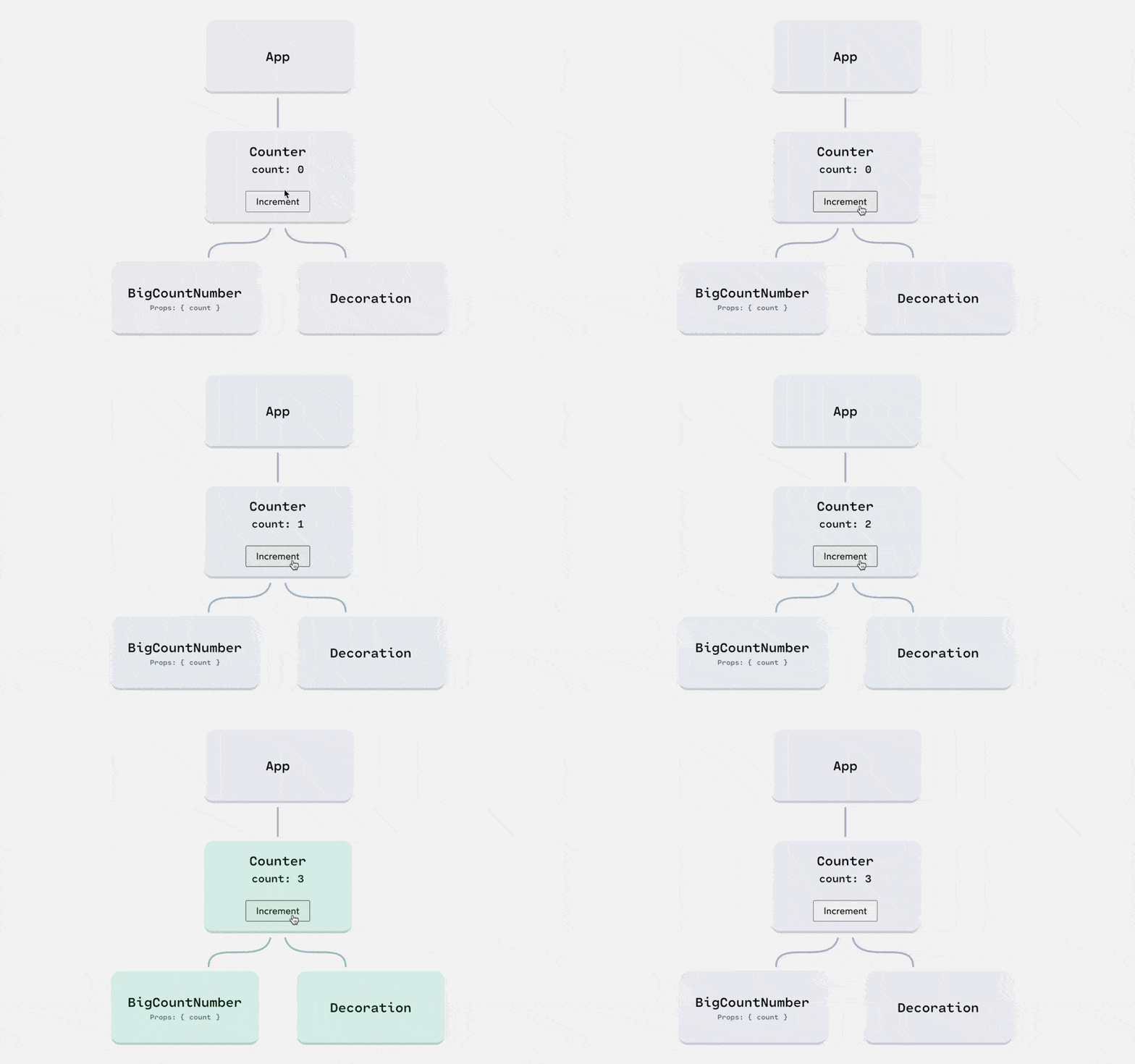
When a component re-renders, it tries to re-render all descendants, regardless of whether they're being passed a particular state variable through props or not.
Now, this seems counter-intuitive... If we aren't passing count as a prop to <Decoration>, why would it need to re-render??
Here's the answer: it's hard for React to know, with 100% certainty, whether <Decoration> depends, directly or indirectly, on the count state variable.
In an ideal world, React components would always be “pure”. A pure component is one that always produces the same UI when given the same props. In the real world, many of our components are impure.

🔍. Similar posts
Mastering Vue 3 Template Syntax: A Complete Guide
09 Feb 2026
What is Hoisting in JavaScript
08 Feb 2026
What is ECMAScript
08 Feb 2026